Coinvora Wallet Whitepaper
Multi-chain non-custodial wallet — product architecture, features, and repository documentation.
Abstract
Coinvora Wallet is a non-custodial, multi-chain cryptocurrency wallet delivered as a production-ready monorepo. Users generate and store private keys on their own device. The wallet supports portfolio management, send and receive, in-app swap, a built-in Web3 browser, staking integrations, and activity history across EVM chains, Solana, TON, and Bitcoin.
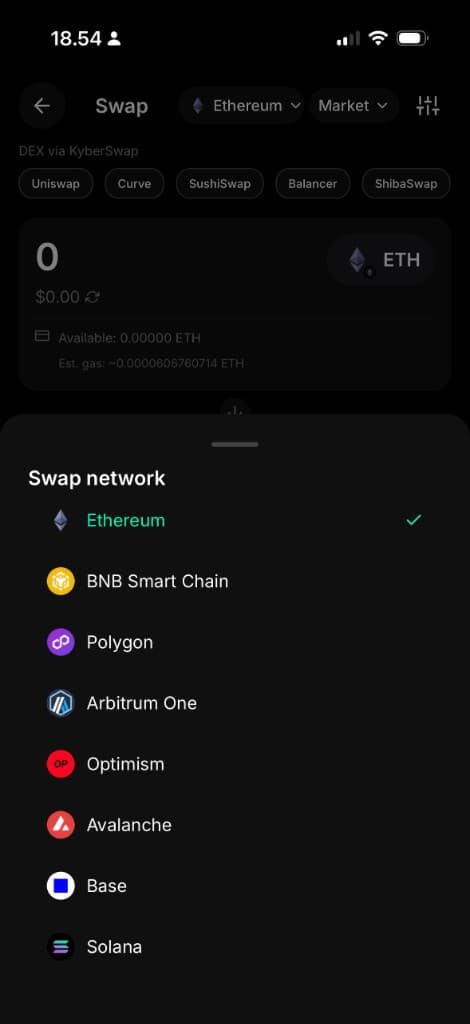
This document describes the product architecture, feature set, security model, and repository structure as implemented in the Coinvora source code. It is intended for investors, partners, auditors, and early-access testers evaluating the wallet before public store launch.
1. Introduction
Self-custody wallets remain the primary interface between users and on-chain finance. Coinvora Wallet addresses the fragmentation problem: most users need one application that can hold assets on multiple networks, swap tokens, connect to decentralised applications, and maintain a unified activity history — without surrendering keys to a custodian.
Coinvora is built as a white-label product. Branding (app name, colours, bundle identifiers, support URLs) is configured through environment variables and a central white-label module, allowing a single codebase to ship under different brands.
2. Repository Structure (GitHub Monorepo)
The complete source code lives in a pnpm monorepo. The following top-level packages are included:
- artifacts/wallet-mobile — Expo / React Native mobile and web wallet (iOS, Android, iPadOS, web export)
- artifacts/api-server — Node.js / Express backend for read-only chain data, swap routing, gas estimation, and activity indexing
- artifacts/wallet-extension — Chrome Manifest V3 extension (side-panel wallet hosting the web bundle)
- artifacts/marketing-site — Next.js marketing website (coinvorawallet.com)
- lib/api-spec — OpenAPI 3 specification; Orval generates typed Zod clients and React Query hooks
- lib/white-label — Central branding configuration consumed by Expo app.config.js and client modules
Key documentation files in the repository
The repo ships with operational documentation for developers and buyers:
- README.md — developer quick start, scripts, and project structure
- BUYER_HANDOFF.md — deployment guide (EAS, Vercel, Render, store submission)
- ENVIRONMENT.md — environment variable reference
- API_SETUP_CHECKLIST.md — third-party API integration checklist
- TEST_REPORT.md — mainnet functional test sign-off (August 2026)
- SALES_LISTING.md — product overview for source-code acquisition
3. Supported Platforms
One shared wallet logic layer powers every client surface. Platform availability as of this build:
- Web — Expo web export deployed on Vercel; responsive wallet in any modern browser
- iOS & iPadOS — native Expo build; TestFlight-ready via EAS (internal distribution configured)
- Android — same mobile codebase; beta builds via EAS internal distribution
- Chrome Extension — MV3 side-panel wallet; loads hosted or local web bundle; pre–Web Store submission
4. Supported Networks
Mainnet networks configured in artifacts/api-server/src/lib/networks.ts and exposed in the wallet network selector:
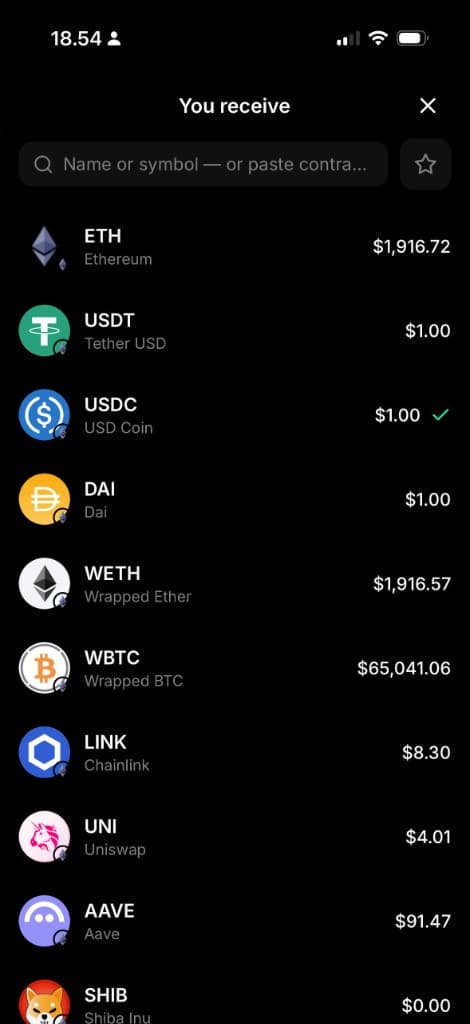
- Ethereum — native ETH and ERC-20 tokens; KyberSwap-routed same-chain swaps
- BNB Smart Chain — BNB and BEP-20 tokens; swap supported
- Polygon — POL and ERC-20 equivalents; swap supported
- Arbitrum One — L2 EVM; swap supported
- Optimism — L2 EVM; swap supported
- Avalanche — C-Chain EVM; swap supported
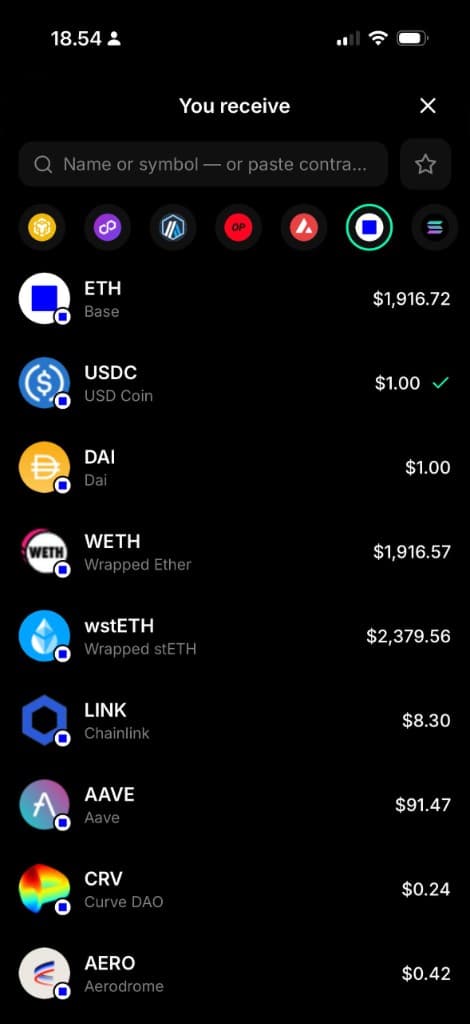
- Base — Coinbase L2; swap supported
- Solana — SOL and SPL tokens; Jupiter-routed swaps
- TON — native TON and Jettons; TON Connect dApps
- Bitcoin — P2WPKH send and receive (no swap or dApp connect yet)
5. Portfolio & Wallet Management
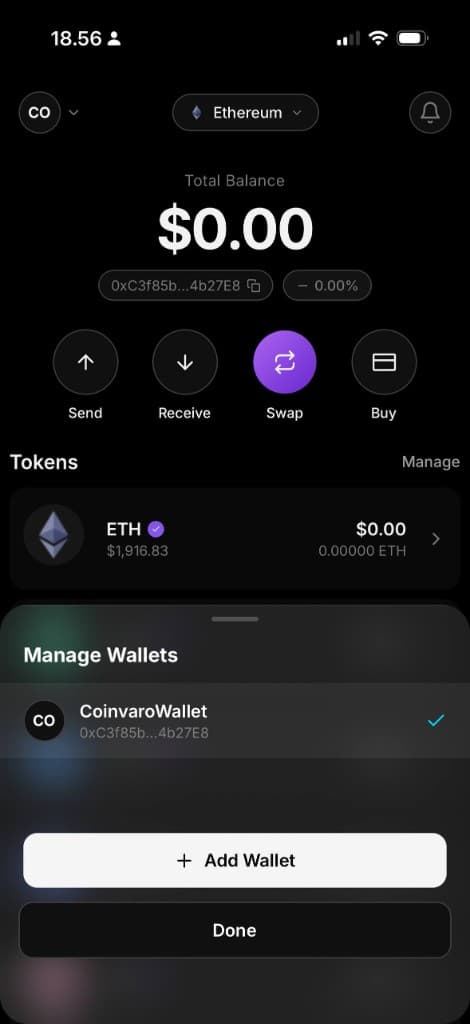
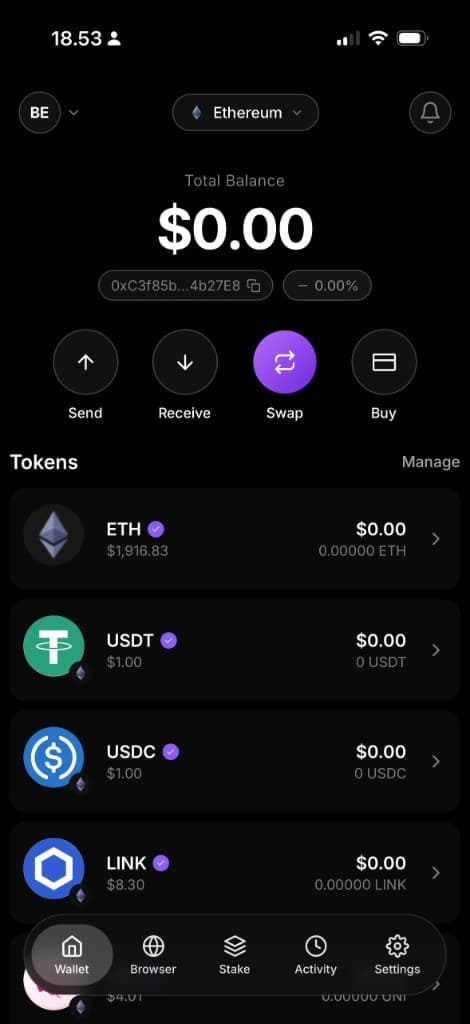
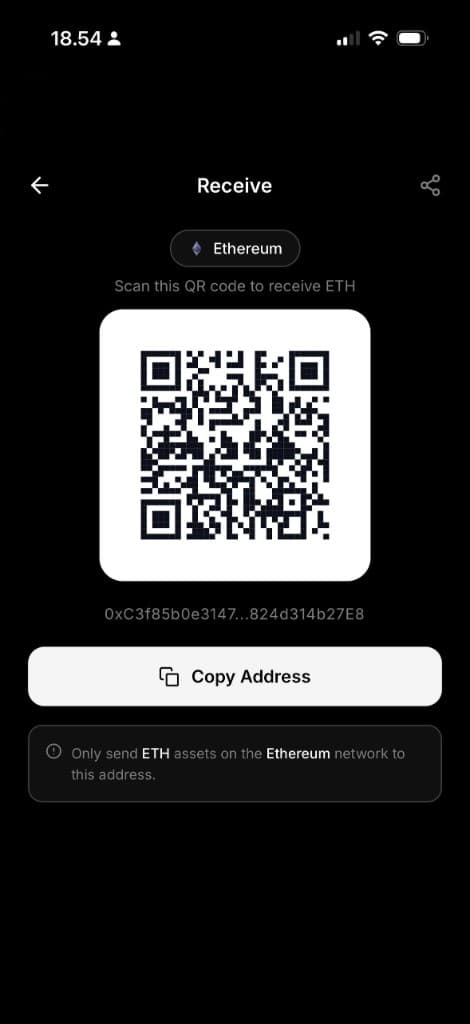
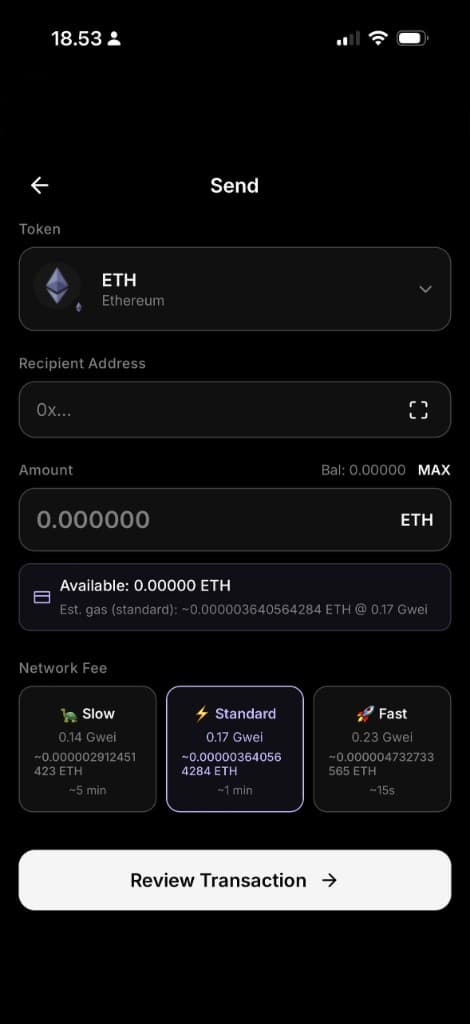
The home dashboard displays total balance, active wallet address, and a token list with live USD prices. Users can send, receive, swap, or buy from quick-action buttons. The manage-wallets flow supports creating new wallets, importing via 12-word recovery phrase, and switching between multiple self-custody accounts.
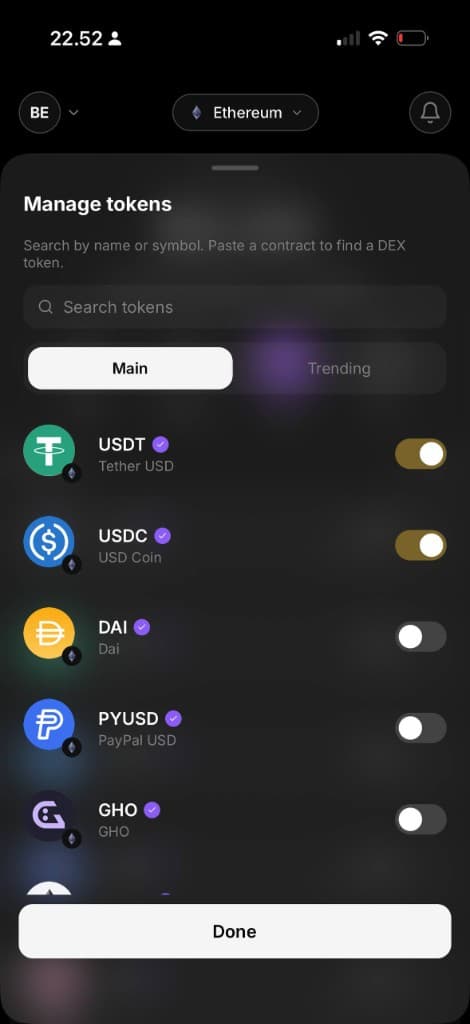
Token management allows toggling visibility of built-in catalog entries (100+ tokens across networks) and importing custom contract addresses. Balances refresh on pull-to-refresh, screen focus, and after confirmed transactions.
6. Swap Engine
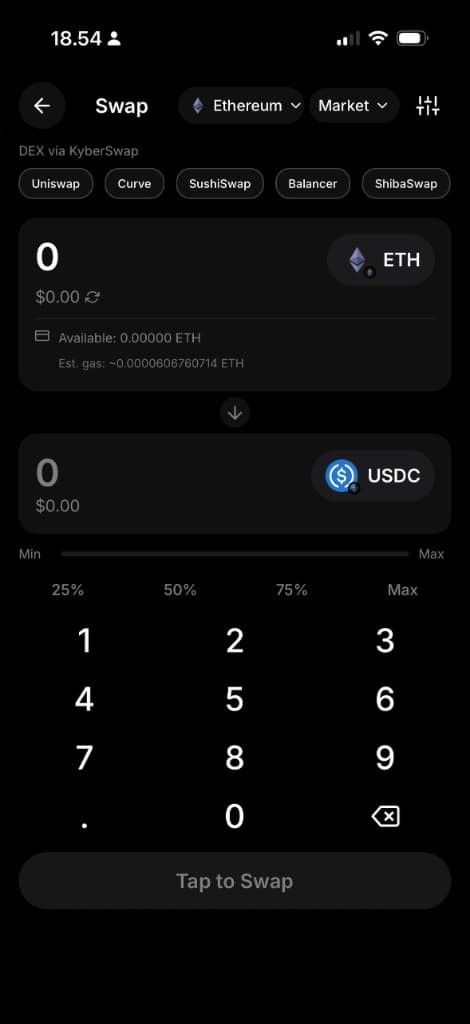
In-app swap is available on EVM networks via KyberSwap aggregator routing (Uniswap, Curve, SushiSwap, Balancer, ShibaSwap, and others). Solana swaps route through Jupiter. Users select source and destination tokens, enter amount via numeric keypad, review estimated gas, and confirm in the wallet modal.
Cross-chain bridge and swap flows are supported with status tracking in the Activity feed. Swap network can be changed without leaving the swap screen.
7. Built-in Web3 Browser
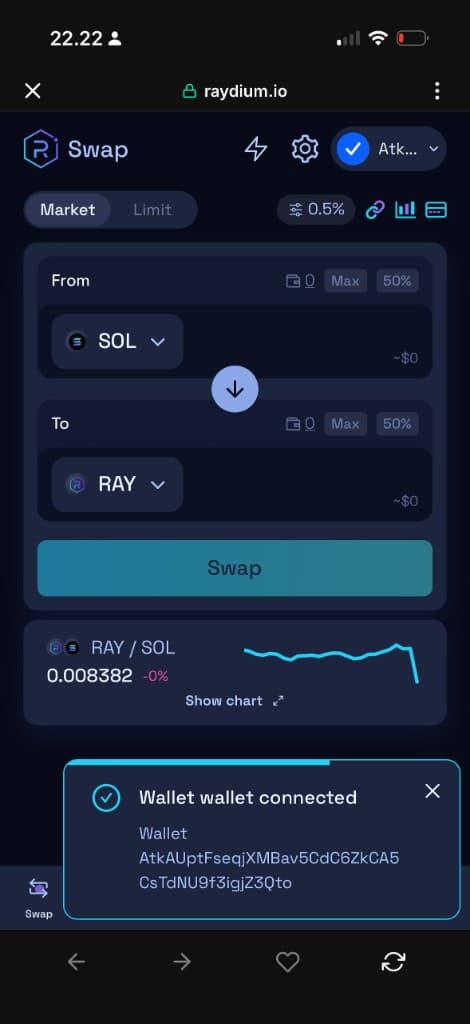
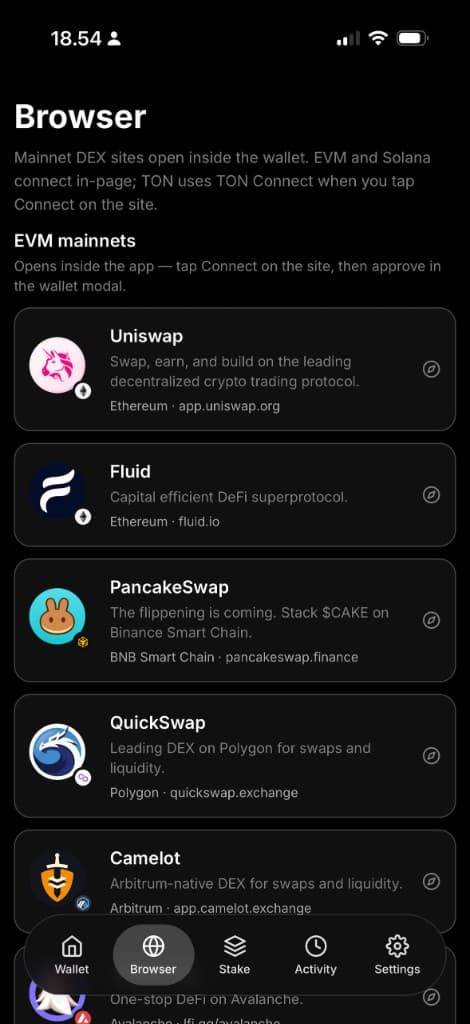
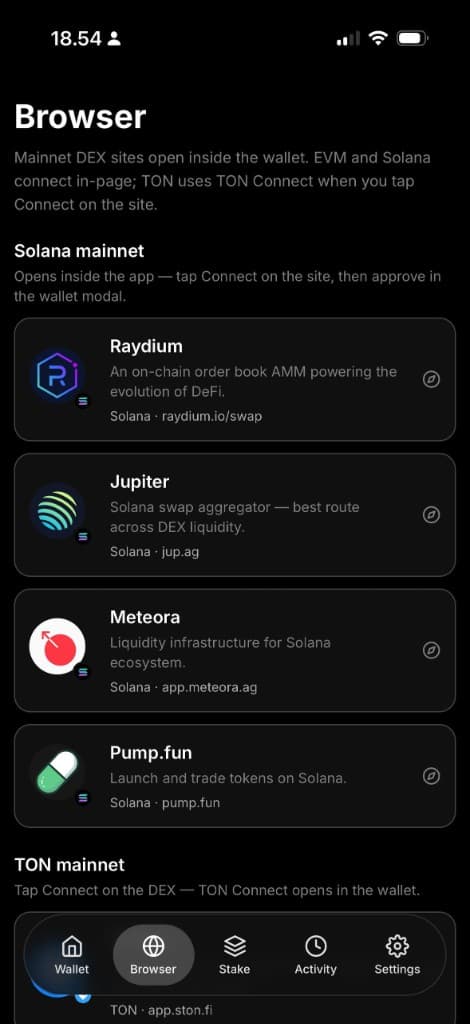
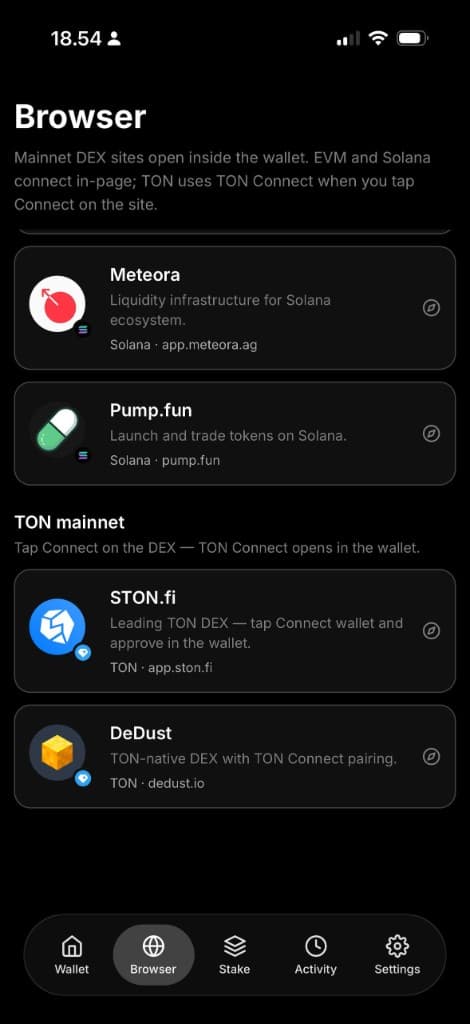
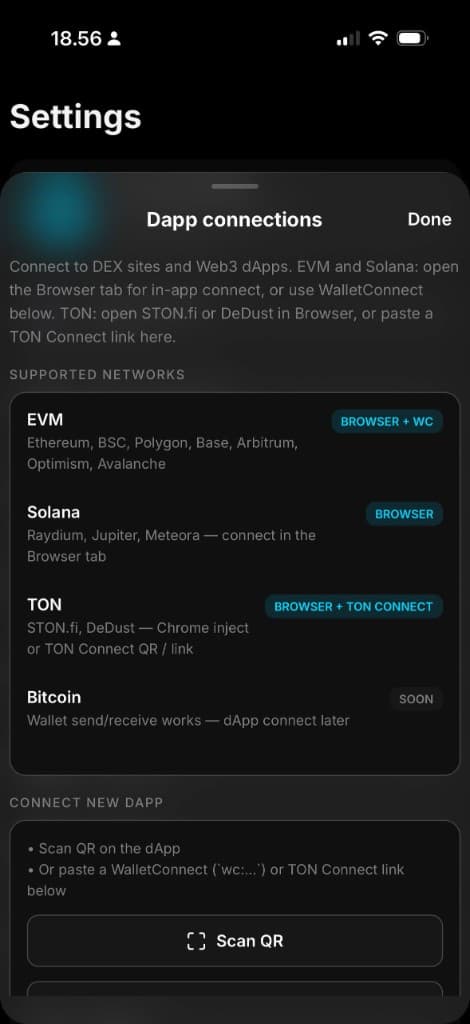
Mobile users open mainnet DEX and dApp sites inside an in-app WebView. Provider injection allows sites to request connection and transaction signatures without an external browser extension.
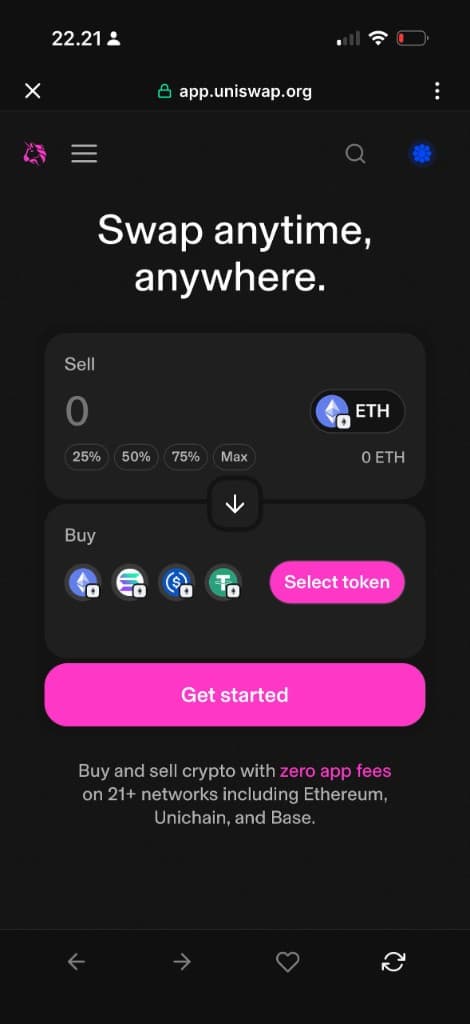
- EVM — Uniswap, Fluid, PancakeSwap, QuickSwap, Camelot, Trader Joe; injected window.ethereum + WalletConnect
- Solana — Raydium, Jupiter, Meteora, Pump.fun; in-page Solana wallet adapter
- TON — STON.fi, DeDust; TON Connect pairing flow initiated from the dApp site
8. Stake & Yield
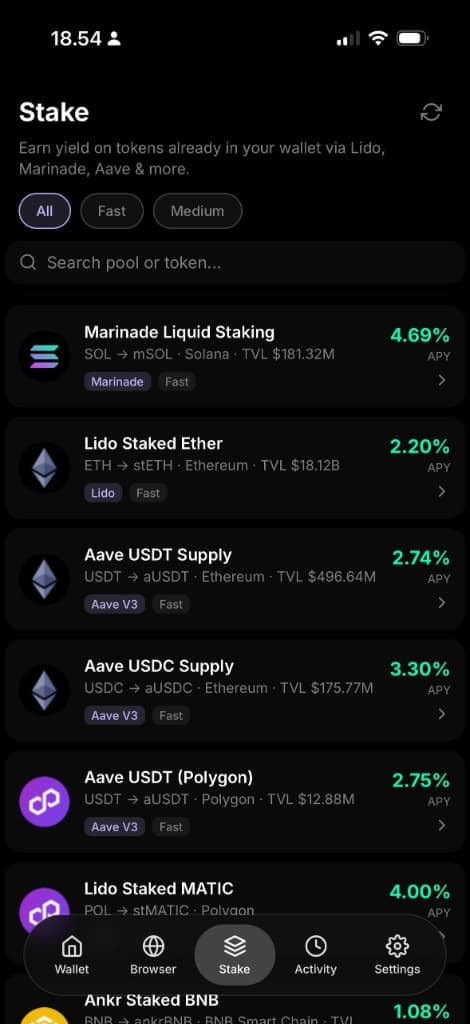
The Stake tab surfaces yield opportunities on tokens already held in the wallet. Integrations include Marinade liquid staking (Solana), Lido stETH and stMATIC, and Aave V3 supply pools on Ethereum and Polygon. Each pool shows live APY, TVL, provider badge, and speed filter (Fast / Medium).
9. Activity & History
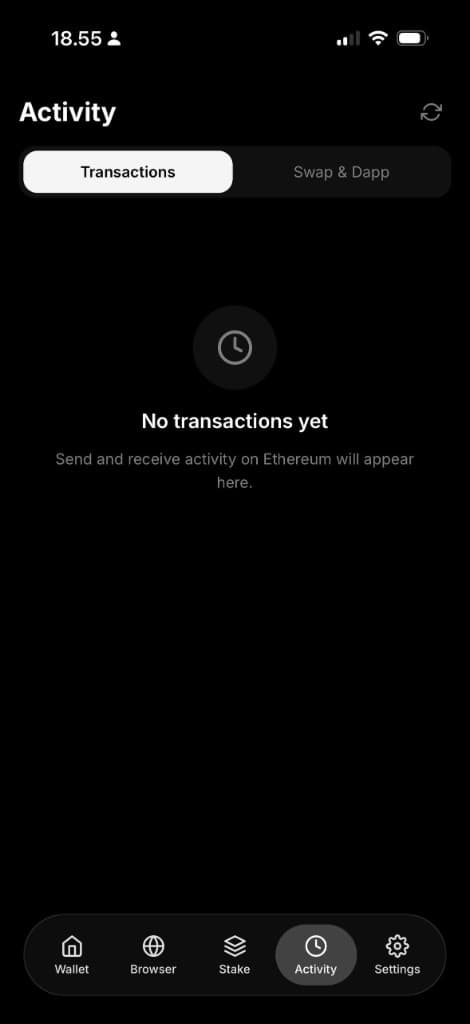
The Activity screen tracks on-chain events per network. Two tabs separate standard transactions from swap and dApp interactions. History includes explorer deep-links, bridge status for cross-chain operations, and dust/spam transaction hiding. Data is indexed by the API server using chain-specific providers (Etherscan-family APIs, Helius for Solana, etc.).
10. Settings, Security & Privacy
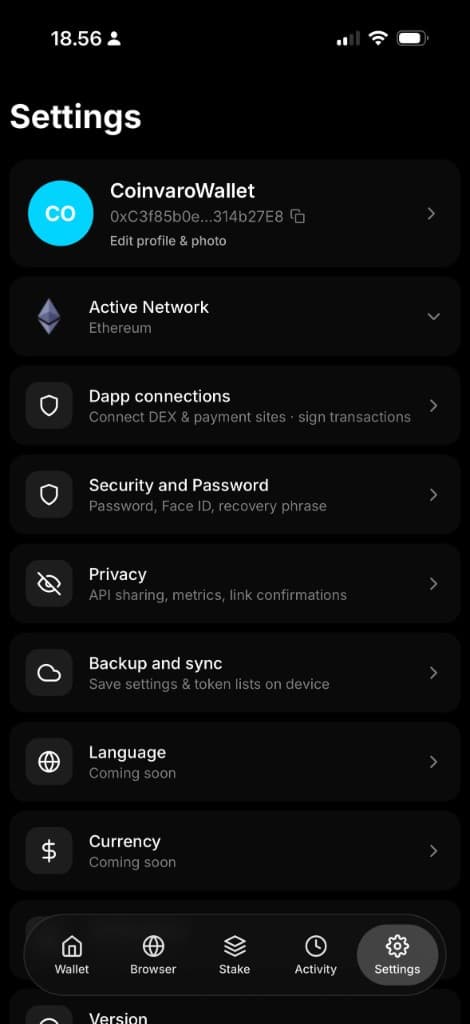
Settings centralises profile editing, active network selection, dApp connection management, security options, privacy controls, and local backup.
Security
Wallet protection layers implemented on-device:
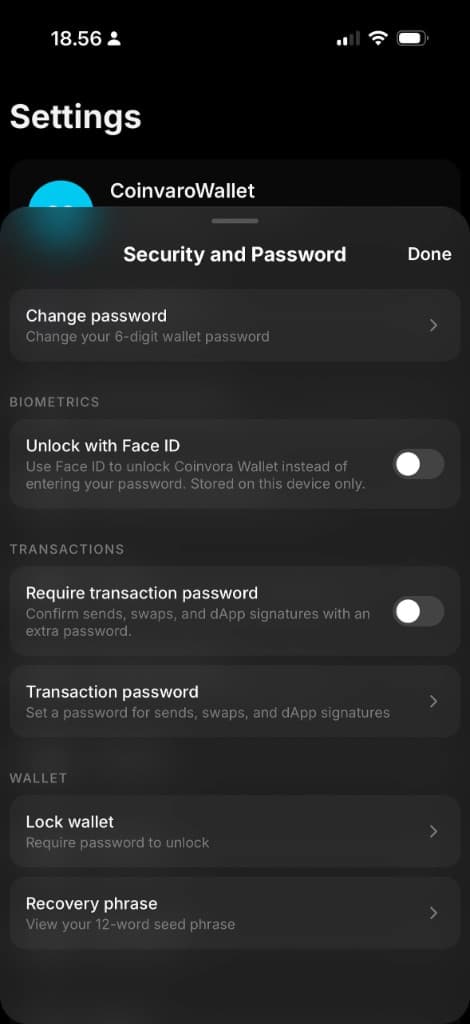
- 6-digit wallet password with optional Face ID / Touch ID unlock
- Separate transaction password for sends, swaps, and dApp signatures
- Manual wallet lock requiring password re-entry
- Secure recovery phrase view (12-word BIP39 mnemonic)
Privacy
User-configurable data sharing:
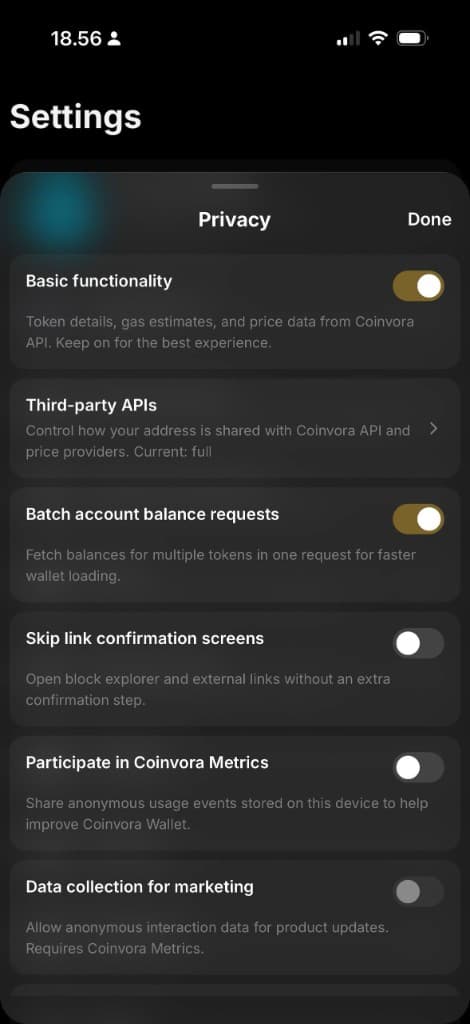
- Toggle third-party API address-sharing level (full / limited / none)
- Batch balance requests for faster portfolio loading
- Optional skip of external link confirmation dialogs
- Opt-in anonymous Coinvora Metrics (stored on device only)
Backup & sync
Encrypted local backup saves token lists, contacts, and preferences on the device. Recovery phrase is never included in backup exports. Users can export or import backup JSON via clipboard.
11. Security Model
Coinvora is non-custodial. Private keys and seed phrases are generated on the client, encrypted with the user's PIN, and stored in platform-native secure storage (iOS Keychain, Android Keystore, web vault patterns). The API server never receives, stores, or transmits private keys.
The backend handles read-only operations: RPC proxying, token metadata, price feeds, swap quote aggregation, gas estimation, and transaction history indexing. Production deployments require buyer-provisioned RPC and indexer API keys.
Functional mainnet testing is documented in TEST_REPORT.md. An independent third-party security audit has not been conducted. Teams launching publicly should arrange their own audit.
12. API Server
The Express API (artifacts/api-server) exposes REST endpoints consumed by all wallet clients via OpenAPI-generated TypeScript clients. Live deployment: coinvora-wallet-api.onrender.com.
- Network and token catalog endpoints
- Balance and portfolio aggregation
- Swap quote and execution routing (KyberSwap, Jupiter, bridge providers)
- Gas estimation and fee suggestions
- Activity and transaction history indexing
- Health checks with secret-safe public responses (no RPC keys exposed)
13. Technology Stack
- Client: Expo SDK, React Native, React 19, TypeScript, expo-router, TanStack Query
- Extension: Chrome Manifest V3 side panel
- Backend: Node.js, Express, TypeScript
- API contract: OpenAPI 3 → Orval → Zod + React Query hooks
- Build: pnpm monorepo, EAS (iOS/Android), Vercel (web + marketing), Render (API)
- Integrations: WalletConnect / Reown, Jupiter, KyberSwap, Helius, TON Connect, third-party RPC providers
14. Deployment & Build Pipeline
Developers run pnpm install && pnpm dev to start the Expo dev server and local API. Production builds use:
- EAS Build — cloud iOS (.ipa) and Android (.aab) builds with configurable profiles (development, preview, production)
- Expo web export — static bundle deployed to Vercel for web wallet and extension source
- Render — API server with environment variables for RPC keys, indexer keys, and swap provider credentials
- pnpm verify:transaction-flow — quality gate: frozen lockfile install, codegen, typecheck, Send/Receive/Swap/Activity tests
15. Current Status & Roadmap
Web wallet is live on Vercel. iOS builds are TestFlight-ready. Android beta builds are available for internal testing. Chrome Extension is functionally complete and awaiting Web Store submission. Public App Store and Google Play listings are not yet published.
Language and currency localisation settings are marked Coming Soon in the app. Bitcoin dApp connectivity is planned for a future release.
16. Disclaimer
Cryptocurrency transactions are irreversible. Coinvora Wallet does not provide financial advice. Users are solely responsible for safeguarding their recovery phrase and device access. This whitepaper describes software as implemented in the repository at the time of publication and may change as development continues.